Every AI phone system sounds good in the vendor's demo. The demo is their best call, made by someone who knows what to say. Your customers will not know what to say. They will ramble, call from a truck with the windows down, ask for a real person, and want a price on a Saturday night.
So before you forward your business line to any AI receptionist, ours included, make the calls yourself. It takes about twenty minutes on an evening, and it will tell you more than a feature list. Below are eight test calls an HVAC shop owner can make, what a good answer sounds like on each, and what to check in the transcript afterwards.
Set the test up properly
Ask the vendor for a test line set up with your business name, and call it from a cell phone it has never seen. Play your own customers, with all their rambling. After each call, open the transcript or whatever record the system leaves and keep it next to your notes. If a system leaves you nothing to read after a call, you can stop the test there.
Make the calls around 6pm. That is when the office empties out and the calls you are trying to cover start, so it is the right frame of mind for judging the answers.
The eight test calls
The no-cooling call on a July evening
Say it the way a homeowner in Phoenix says it at 6pm in July: "Our AC is blowing warm air, it's 92 in the house and we've got a newborn." Then ask if someone can come tomorrow morning.
A good system asks what the equipment is doing and when it started, takes the service address and a callback number, and takes down the newborn in your words, not its own. It should not promise a time it cannot keep. If it does not see your schedule, "a tech will be there at 8am" is a promise you now owe a stranger with a baby in a hot house.
The rambler
Tell a long story. The unit is eleven years old, the last company overcharged you, your brother-in-law looked at it, and somewhere in the middle mention that water is dripping from the ceiling under the attic unit. A good system lets you finish, pulls out the leak and the address, and does not make you start over. A weak one cuts in with a scripted question, or loses the one detail that matters.
The bad line and the hard street name
Call from your truck, or with a radio on. Give an address with a street name people misspell, the kind your techs already know trips up GPS. Then read the address in the transcript. A wrong house number on a no-heat call costs you a drive and a customer. The system should read the address back to the caller before the call ends.
The caller who wants a person
Say "Can I just talk to someone?" twice. Callers ask this, and how the system handles it matters more than almost anything else on the list.
The honest answer is the good one: it says plainly whether it can put you through, and if it cannot, it says it will take the details so someone calls back. The red flag is "Let me transfer you" followed by dead air or a dropped call. That happens when a system promises a transfer it is not set up to make. Sara cannot put callers through, and she says so instead of pretending.
The price question
Ask "How much for a tune-up?" and then "What do you charge to come out tonight?" The system should give only the prices you gave it, or say the shop will confirm the price. An AI that invents a service fee has just quoted on your behalf.
"Am I talking to a robot?"
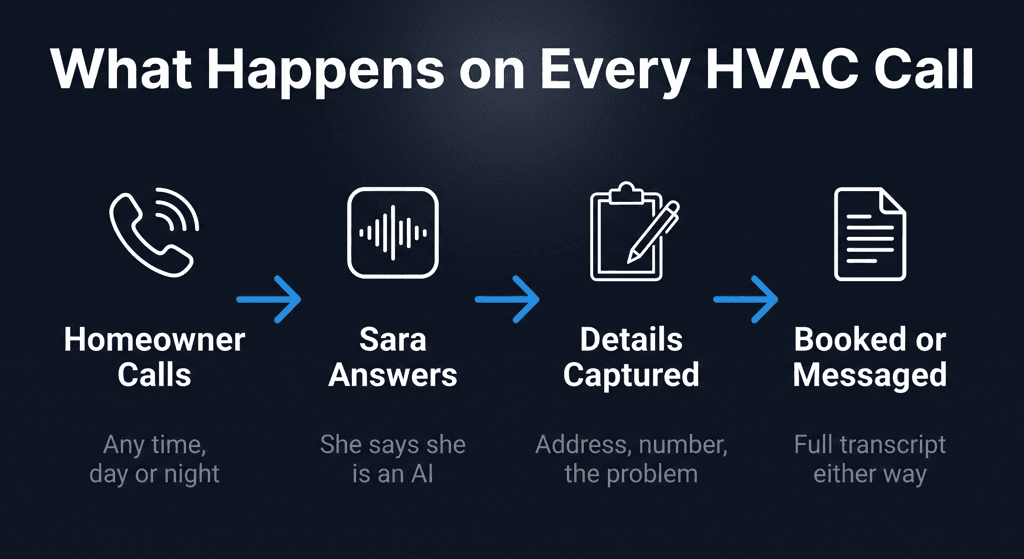
Ask it directly. The answer should be a plain yes. Callers take a straight answer far better than a dodge, and a system that hides what it is will make your shop look like it was hiding something too. Sara says she is an AI assistant at the start of every call, before she asks the caller for anything.
The existing customer
Say "Your guy was out here Tuesday and it's doing the same thing again." That is a callback on your own work, and the record should make that obvious. Check that the transcript keeps the Tuesday visit in the caller's words, so whoever reads it does not quote a fresh diagnostic fee to an annoyed customer.
The call you don't want
Ask about a plumbing leak, or give an address an hour outside your service area. A good system does not book it. It takes a message and leaves the decision to you. If it books a job you would never run, your morning starts with an awkward cancellation.
What to check in every transcript
After the eight calls, go back through the records and check the same five things on each one:
- The address, spelled the way your tech's GPS needs it.
- The callback number, every digit of it.
- The problem in the caller's words. You can decide on "blowing warm, 92 inside, newborn." You can't decide anything on "customer reports AC issue."
- The booking: which day, which part of the day, and whether the caller heard it read back.
- Anything it promised, like a time, a price, a transfer or a callback "within the hour." Promises worry us more than anything else on this list, because they are made in your name.
Then decide what you would do with each call the next morning. If you can work every one from the record alone, without calling the customer to ask what they meant, the system passed. Our post on emergency calls versus next-day scheduling covers the signals worth reading for.
Questions to ask the vendor after the calls
- Where does a booking go: your calendar, their dashboard, an email? "It integrates" doesn't count until you have watched a test booking arrive.
- How am I billed? Per minute, per call or flat, and are spam calls and hang-ups counted? Per-minute bills climb fastest in exactly the weeks you are busiest.
- Which languages does it answer in right now? Ask about today, because a roadmap won't answer a Spanish-speaking caller in August.
- How do I hear about a call, on which channels, and when?
- How do I stop? You want to hear "remove the call forwarding and your line is back to normal," with no contract to wait out.
How Thermoi does on this test
Here is what you should expect if you run these calls on Sara, so you can hold us to it.
She answers in your business name and says she is an AI assistant. She asks what the equipment is doing, takes the caller's name, callback number and service address, and writes the problem down in the caller's own words. When the caller wants a visit, she takes the day and morning or afternoon, reads it back, and the booking lands in your Thermoi dashboard, where you confirm the time. She cannot see your calendar, so she does not promise a time. She does not transfer calls. She answers in English today, so if a big share of your callers prefer Spanish, weigh that.
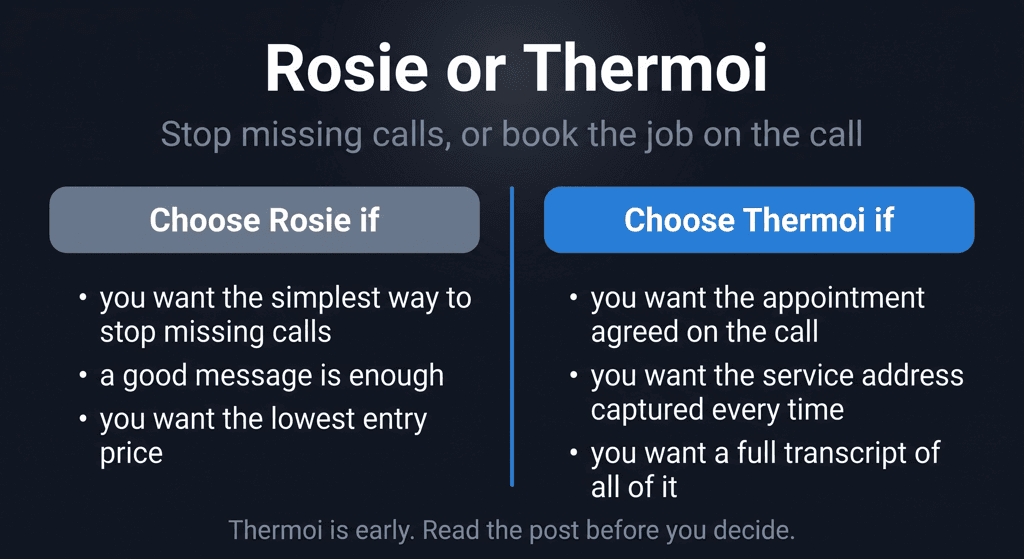
When the call ends, you get a summary and the full transcript of every call in the dashboard, plus an email or Slack note if you switch those on. For how that fits a shop's day, see the AI phone system page. If you are weighing other AI receptionists, our comparisons with Goodcall and Rosie lay out the differences.
Then test it on your real line
Test calls tell you how a system handles the calls you can imagine. Your real line tells you about the ones you can't. That is why the first month with Thermoi is free for up to 40 calls, with no card and no contract. You forward your number when you are ready, read every transcript, and at day 30 you get a report of calls answered and appointments booked. Keep Sara and it is $299 a month for up to 200 calls; let it end and you owe nothing.
If you are replacing an answering service rather than voicemail, read our 30-day plan for switching first. It covers how to run both without a night of uncovered calls.